Neon Glow Chart Art
Cyberpunk dashboard aesthetics with glowing lines on dark backgrounds

How do you make Neon Glow Chart SVG art?
Describe any subject and pick the Neon Glow Chart style — Clearly generates a clean, editable vector in seconds, with Neon Glow Chart’s signature look (luminous glow effects, dark background required, cyan/magenta palette), ready for Cricut, print, or the web. No design software needed; free to generate and preview, with commercial-license exports on a plan.
About Neon Glow Chart style
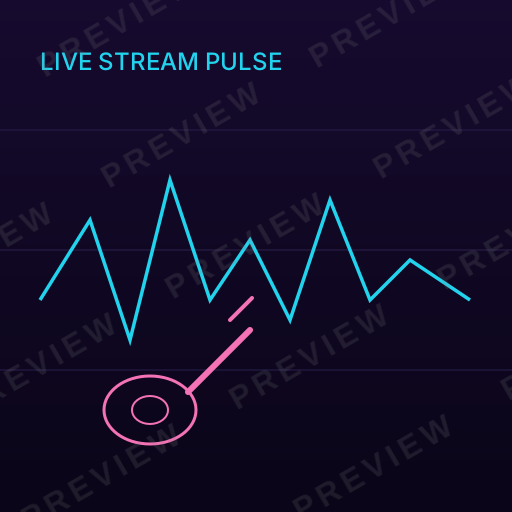
Neon glow chart SVG lights up dark dashboards with the electric energy of cyberpunk aesthetics. With luminous cyan and magenta data lines, soft glow effects, and the futuristic atmosphere of a sci-fi control room, this style makes data feel exciting, urgent, and thoroughly modern.
About Neon Glow Chart design
Dark-themed interfaces have moved from niche preference to mainstream default across gaming, crypto, developer tools, and entertainment platforms. Within this shift, a distinct sub-genre has emerged: the neon data visualization. Inspired by the cyberpunk aesthetic of films like Blade Runner and Tron, neon charts use luminous glow effects on near-black backgrounds to make data feel electric, urgent, and futuristic.
The technical foundation of neon chart design lies in SVG filter primitives — feGaussianBlur for glow halos, feComposite for layered luminosity, and carefully tuned opacity to simulate light emission. These filters transform flat vector lines into elements that appear to radiate light, creating the illusion of phosphorescent displays on CRT monitors or holographic projections.
Neon charts have found their strongest foothold in industries that prize atmosphere alongside information: cryptocurrency trading platforms, esports analytics, music production software, and cybersecurity monitoring dashboards. In these contexts, the visual style is not merely decorative — it aligns the data presentation with the cultural identity of the product and its users.
Design principles
Light-on-dark contrast
The entire color system is inverted: bright, luminous data elements sit on dark (#0A0A0F or similar) backgrounds. This inversion is not optional — neon effects require darkness to read as glowing.
Glow as data encoding
Use glow intensity and spread to encode data emphasis. Primary metrics get brighter, wider glows while secondary data uses thinner, dimmer luminance.
Limited neon palette
Restrict the palette to two or three neon hues (cyan, magenta, electric green). Too many glowing colors create visual noise that undermines the atmospheric effect.
Atmospheric layering
Build depth through multiple translucent layers — a dim grid, a soft ambient glow, then bright data lines on top — to create the illusion of volumetric space.
Design tips for Neon Glow Chart
Apply a two-stage glow: a tight, bright blur (2-3px) for the core line plus a wider, softer blur (8-12px) at lower opacity for the ambient halo.
Use a very dark background (#0D0D14) rather than pure black — the slight blue tint creates richer contrast and avoids the "floating in void" effect.
Add subtle scanline or grid overlay textures at very low opacity (3-5%) to reinforce the retro-digital atmosphere without obscuring data.
Animate glow intensity on hover or selection to create the responsive, alive feeling that neon interfaces demand.
Use cases
Cryptocurrency trading platforms
Crypto dashboards showing real-time price action, volume, and portfolio performance use neon aesthetics to match the high-energy, always-on culture of digital asset trading.
Gaming and esports analytics
Player stats, match performance, and leaderboard data presented in neon style align with gaming culture's visual language and dark-mode preferences.
Music and DJ software
Audio spectrum analyzers, BPM trackers, and mixing interfaces use neon data visualization to evoke the atmosphere of a club or concert stage.
Cybersecurity dashboards
Threat detection, network traffic, and security event monitoring tools use the neon aesthetic to create a war-room atmosphere that conveys vigilance and technical sophistication.
Compare styles
vs. Dashboard Chart
Dashboard charts use dark backgrounds for professional density and readability; neon charts use darkness as a canvas for atmospheric glow effects. The intent differs — utility versus atmosphere.
vs. Glassmorphism Chart
Glassmorphism charts create depth through frosted translucency and blur on gradient backgrounds; neon charts create depth through luminous glow on near-black backgrounds. Both are modern, but glass feels calm while neon feels electric.
Style characteristics
- Luminous glow effects
- Dark background required
- Cyan/magenta palette
- Futuristic atmosphere
- High-contrast data lines
Best for
- ✓Gaming dashboards
- ✓Crypto platforms
- ✓DJ/music apps
- ✓Sci-fi themed projects
- ✓Night-mode interfaces
Create Neon Glow Chart art with AI
Describe your vision
Tell AI what you want in neon glow chart style.
AI generates
Get a unique neon glow chart SVG in seconds.
Download & use
Editable SVG for any project — commercial use on a paid plan.
Browse Charts, Data & Social Media styles
Explore all styles in this category, or browse the full Style Encyclopedia.
Editorial Chart
NYT and Bloomberg-style data visualization with serif typography feel
Minimal Chart
Tufte-inspired maximum data-ink ratio with no chartjunk
Startup Chart
Stripe and Linear-inspired gradient fills with modern SaaS polish
Retro Chart
1970s warm earthy tones with dot overlays and nostalgic charm
Glassmorphism Chart
Frosted glass translucent elements on gradient backgrounds
Dashboard Chart
Premium dark analytics theme with gradient bars and professional polish
Watercolor Chart
Soft artistic washes making data feel organic and approachable
Instagram Aesthetic
Muted desaturated lifestyle graphics optimized for square social feeds
YouTube Thumbnail
Maximum visual impact with bold contrast and click-driving composition
Story / Reel
Vertical 9:16 sticker-style illustrations for Instagram and TikTok
Meme / Reaction
Bold simple shareable graphics with instant readability and viral potential
Neon Glow Chart SVGs by category
Browse neon glow chart designs for a specific subject — each generated to order, then editable.
Neon Glow Chart Animals
Animals in neon glow chart style.
Neon Glow Chart Flowers
Flowers in neon glow chart style.
Neon Glow Chart Nature
Nature in neon glow chart style.
Neon Glow Chart Holidays
Holidays in neon glow chart style.
Neon Glow Chart Food & Drinks
Food & Drinks in neon glow chart style.
Neon Glow Chart Sea Life
Sea Life in neon glow chart style.
Neon Glow Chart Basic Shapes
Basic Shapes in neon glow chart style.
Neon Glow Chart Crafts & DIY
Crafts & DIY in neon glow chart style.
Neon Glow Chart Borders & Frames
Borders & Frames in neon glow chart style.
Frequently asked questions
01What is Neon Glow Chart art?+
02What are the key characteristics of Neon Glow Chart style?+
03Can I generate Neon Glow Chart SVGs with AI?+
Ready-made
Ready-made Neon Glow Chart vectors
Hand-curated neon glow chart SVGs, licensable now — $<OneTimePrice /> once, commercial use, no subscription.



Create Neon Glow Chart art today
Generate unique neon glow chart SVG designs with AI. Preview free, no design skills needed — $<OneTimePrice /> once for a commercially-licensed SVG, no subscription.