Startup Chart Art
Stripe and Linear-inspired gradient fills with modern SaaS polish

How do you make Startup Chart SVG art?
Describe any subject and pick the Startup Chart style — Clearly generates a clean, editable vector in seconds, with Startup Chart’s signature look (smooth gradient fills, modern saas palette, refined grid systems), ready for Cricut, print, or the web. No design software needed; free to generate and preview, with commercial-license exports on a plan.
About Startup Chart style
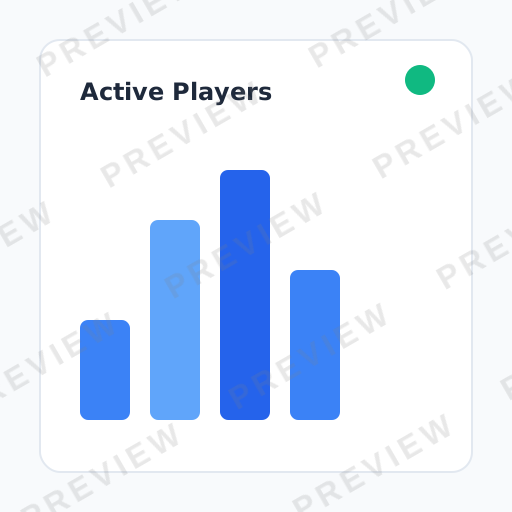
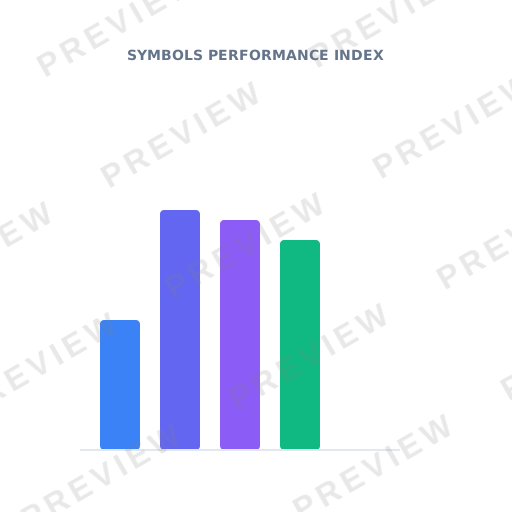
Startup chart SVG captures the polished visual language of the world's most admired SaaS companies. With smooth gradient fills, subtle animations-ready structure, and the kind of refined attention to detail that makes Stripe, Linear, and Vercel dashboards feel premium, this style elevates any data presentation to Silicon Valley standards.
About Startup Chart design
The rise of SaaS (Software as a Service) created a new design discipline: the product dashboard. Companies like Stripe, Linear, Vercel, and Notion discovered that beautifully presented metrics are not vanity — they build user trust, reduce churn, and communicate product value at a glance. The "startup chart" aesthetic emerged from this insight, blending data visualization best practices with the refined visual polish of Silicon Valley's most design-forward companies.
This style is defined by its attention to craft at every level. Gradient fills transition smoothly between brand-adjacent hues. Grid systems use precise spacing tokens. Typography follows strict hierarchies. The overall impression is one of premium quality — the visual equivalent of a product that "just works." It signals competence and modernity to investors, customers, and internal teams alike.
Startup chart design has become so influential that it now extends well beyond dashboards. Investor pitch decks, product launch pages, company blogs, and even internal all-hands presentations adopt its conventions, recognizing that polished data presentation reflects well on the organization behind it.
Design principles
Gradient fills as brand expression
Use smooth linear or radial gradients in brand-adjacent color pairs rather than flat fills. The gradient adds dimensionality and premium feel without introducing chartjunk.
Systematic spacing
Apply a consistent spacing scale (4px, 8px, 16px, 24px) to all chart elements — padding, margins, label offsets — creating the quiet order that makes SaaS dashboards feel polished.
Dark mode readiness
Design charts with both light and dark backgrounds in mind. Use semi-transparent fills and avoid pure white or pure black so charts adapt gracefully to theme switching.
Purposeful animation structure
Structure SVG elements so they can be individually animated — data bars that grow, lines that draw in, tooltips that fade. Even in static form, the architecture should support motion.
Design tips for Startup Chart
Pair a vibrant primary gradient (violet-to-indigo or cyan-to-blue) with a muted secondary color for supporting data series to create clear visual hierarchy.
Round the corners of bar chart elements with a small border-radius (2-4px) to soften the feel and align with modern UI conventions.
Add a subtle drop shadow or glow beneath data elements to create the layered depth associated with premium SaaS interfaces.
Use inter-letter spacing and medium-weight sans-serif fonts for chart labels to match the typographic conventions of Stripe and Linear.
Use cases
SaaS product dashboards
Present MRR, churn, activation rates, and feature usage in the polished visual language that users of modern software products now expect.
Investor pitch decks
Founders presenting to VCs need charts that feel as refined as the product itself — startup-style charts signal that the team sweats the details.
Product launch pages
Landing pages announcing new features use startup charts to present benchmark results, performance gains, or usage statistics with maximum visual impact.
Company blog posts
Engineering and product blogs at SaaS companies embed these charts to present internal data publicly with the same polish as the product UI.
Internal metrics reviews
Weekly all-hands and board decks adopt the startup chart aesthetic to maintain a culture of design quality even in internal communications.
Compare styles
vs. Dashboard Chart
Dashboard charts prioritize information density and multi-chart layouts for power users who live in analytics tools all day. Startup charts prioritize visual polish and brand alignment, often showing fewer metrics with more breathing room.
vs. Minimal Chart
Minimal charts remove all decoration to maximize the data-ink ratio. Startup charts intentionally add gradient fills, refined spacing, and subtle effects because the polish itself communicates product quality.
Style characteristics
- Smooth gradient fills
- Modern SaaS palette
- Refined grid systems
- Premium attention to detail
- Dark mode ready
Best for
- ✓SaaS dashboards
- ✓Investor decks
- ✓Product metrics
- ✓Landing pages
- ✓Company blogs
Create Startup Chart art with AI
Describe your vision
Tell AI what you want in startup chart style.
AI generates
Get a unique startup chart SVG in seconds.
Download & use
Editable SVG for any project — commercial use on a paid plan.
Browse Charts, Data & Social Media styles
Explore all styles in this category, or browse the full Style Encyclopedia.
Editorial Chart
NYT and Bloomberg-style data visualization with serif typography feel
Minimal Chart
Tufte-inspired maximum data-ink ratio with no chartjunk
Neon Glow Chart
Cyberpunk dashboard aesthetics with glowing lines on dark backgrounds
Retro Chart
1970s warm earthy tones with dot overlays and nostalgic charm
Glassmorphism Chart
Frosted glass translucent elements on gradient backgrounds
Dashboard Chart
Premium dark analytics theme with gradient bars and professional polish
Watercolor Chart
Soft artistic washes making data feel organic and approachable
Instagram Aesthetic
Muted desaturated lifestyle graphics optimized for square social feeds
YouTube Thumbnail
Maximum visual impact with bold contrast and click-driving composition
Story / Reel
Vertical 9:16 sticker-style illustrations for Instagram and TikTok
Meme / Reaction
Bold simple shareable graphics with instant readability and viral potential
Startup Chart SVGs by category
Browse startup chart designs for a specific subject — each generated to order, then editable.
Startup Chart Animals
Animals in startup chart style.
Startup Chart Flowers
Flowers in startup chart style.
Startup Chart Nature
Nature in startup chart style.
Startup Chart Holidays
Holidays in startup chart style.
Startup Chart Food & Drinks
Food & Drinks in startup chart style.
Startup Chart Sea Life
Sea Life in startup chart style.
Startup Chart Basic Shapes
Basic Shapes in startup chart style.
Startup Chart Crafts & DIY
Crafts & DIY in startup chart style.
Startup Chart Borders & Frames
Borders & Frames in startup chart style.
Frequently asked questions
01What is Startup Chart art?+
02What are the key characteristics of Startup Chart style?+
03Can I generate Startup Chart SVGs with AI?+
Ready-made
Ready-made Startup Chart vectors
Hand-curated startup chart SVGs, licensable now — $<OneTimePrice /> once, commercial use, no subscription.



Create Startup Chart art today
Generate unique startup chart SVG designs with AI. Preview free, no design skills needed — $<OneTimePrice /> once for a commercially-licensed SVG, no subscription.