Editorial Chart Art
NYT and Bloomberg-style data visualization with serif typography feel

How do you make Editorial Chart SVG art?
Describe any subject and pick the Editorial Chart style — Clearly generates a clean, editable vector in seconds, with Editorial Chart’s signature look (light clean background, serif typography feel, sophisticated palette), ready for Cricut, print, or the web. No design software needed; free to generate and preview, with commercial-license exports on a plan.
About Editorial Chart style
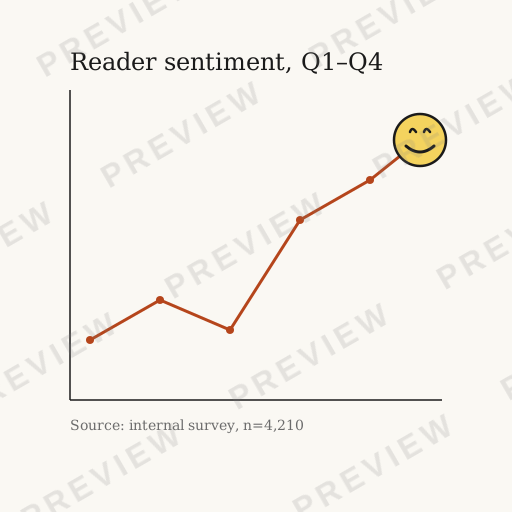
Editorial chart SVG brings the visual authority of top-tier publication data journalism to any project. With light backgrounds, sophisticated color palettes, serif typography sensibility, and the clean clarity that makes data stories compelling, this style creates charts worthy of The New York Times, Bloomberg, or The Economist.
About Editorial Chart design
Data visualization is a discipline rooted in the belief that complex information becomes meaningful only when it is made visible. From William Playfair's first bar charts in 1786 to the interactive graphics powering modern newsrooms, the field has always sat at the intersection of statistics, design, and storytelling. Today, dedicated graphics desks at publications like The New York Times, The Washington Post, and Bloomberg employ teams of journalist-engineers who treat every chart as a piece of narrative journalism.
Editorial charts occupy a unique position in this landscape because they must serve two masters simultaneously: statistical accuracy and editorial clarity. Unlike dashboards built for analysts, editorial charts address a general audience that may encounter the data for the first time. Every design decision — the choice of serif type for axis labels, the restrained two- or three-color palette, the generous whitespace — exists to lower the cognitive barrier between reader and insight.
The influence of editorial chart design extends well beyond newspapers. Annual reports, policy white papers, and research publications increasingly adopt the visual language pioneered by newsroom graphics teams, recognizing that authority and trustworthiness are communicated not just by the data itself but by the care with which it is presented.
Design principles
Annotation over decoration
Every visual element should explain the data. Replace legends with direct annotations placed next to the relevant data series so readers never have to cross-reference.
Restrained color palette
Use two or three muted hues at most. Reserve a single accent color for the most important data series, letting it draw the eye without competing for attention.
Typographic hierarchy
Headline, subtitle, axis labels, and source line should form a clear four-level type hierarchy — typically a serif headline with sans-serif supporting text or vice versa.
Source attribution
Always include a visible source line. Editorial charts derive their authority from transparent provenance; omitting the source undermines credibility.
Design tips for Editorial Chart
Use a light, warm-white background (#FAF9F6 or similar) rather than pure white to reduce glare and evoke the feel of quality newsprint.
Set axis labels in a refined serif or a humanist sans-serif at a smaller size than the chart title to create visual hierarchy without clutter.
Add a thin, light-gray baseline at zero and remove all other gridlines — this gives the reader an anchor without adding noise.
Place the chart title flush-left above the chart area and the source credit flush-left below it, mimicking the editorial convention of newspaper column alignment.
Use cases
Longform journalism graphics
Embed publication-quality charts in investigative articles, feature stories, and explainers where the data must feel as authoritative as the prose.
Annual and ESG reports
Corporate annual reports and sustainability disclosures gain credibility when data is presented in the clean, annotation-rich style readers associate with trusted publications.
Policy briefs and white papers
Think tanks and government agencies use editorial chart conventions to communicate findings to legislators and the public in an accessible, trustworthy format.
Academic conference posters
Researchers presenting at conferences can borrow editorial clarity to make dense statistical results legible from across a poster session hall.
Compare styles
vs. Minimal Chart
Editorial charts add annotation layers, typographic hierarchy, and source lines that minimal charts deliberately strip away. Where minimal charts trust the data to speak alone, editorial charts actively narrate it.
vs. Dashboard Chart
Dashboard charts are designed for analysts who interrogate data repeatedly; editorial charts are designed for readers encountering the data once, so they prioritize immediate comprehension over information density.
Style characteristics
- Light clean background
- Serif typography feel
- Sophisticated palette
- Publication authority
- Data journalism clarity
Best for
- ✓News articles
- ✓Annual reports
- ✓Research papers
- ✓White papers
- ✓Editorial content
Create Editorial Chart art with AI
Describe your vision
Tell AI what you want in editorial chart style.
AI generates
Get a unique editorial chart SVG in seconds.
Download & use
Editable SVG for any project — commercial use on a paid plan.
Browse Charts, Data & Social Media styles
Explore all styles in this category, or browse the full Style Encyclopedia.
Minimal Chart
Tufte-inspired maximum data-ink ratio with no chartjunk
Startup Chart
Stripe and Linear-inspired gradient fills with modern SaaS polish
Neon Glow Chart
Cyberpunk dashboard aesthetics with glowing lines on dark backgrounds
Retro Chart
1970s warm earthy tones with dot overlays and nostalgic charm
Glassmorphism Chart
Frosted glass translucent elements on gradient backgrounds
Dashboard Chart
Premium dark analytics theme with gradient bars and professional polish
Watercolor Chart
Soft artistic washes making data feel organic and approachable
Instagram Aesthetic
Muted desaturated lifestyle graphics optimized for square social feeds
YouTube Thumbnail
Maximum visual impact with bold contrast and click-driving composition
Story / Reel
Vertical 9:16 sticker-style illustrations for Instagram and TikTok
Meme / Reaction
Bold simple shareable graphics with instant readability and viral potential
Editorial Chart SVGs by category
Browse editorial chart designs for a specific subject — each generated to order, then editable.
Editorial Chart Animals
Animals in editorial chart style.
Editorial Chart Flowers
Flowers in editorial chart style.
Editorial Chart Nature
Nature in editorial chart style.
Editorial Chart Holidays
Holidays in editorial chart style.
Editorial Chart Food & Drinks
Food & Drinks in editorial chart style.
Editorial Chart Sea Life
Sea Life in editorial chart style.
Editorial Chart Basic Shapes
Basic Shapes in editorial chart style.
Editorial Chart Crafts & DIY
Crafts & DIY in editorial chart style.
Editorial Chart Borders & Frames
Borders & Frames in editorial chart style.
Frequently asked questions
01What is Editorial Chart art?+
02What are the key characteristics of Editorial Chart style?+
03Can I generate Editorial Chart SVGs with AI?+
Ready-made
Ready-made Editorial Chart vectors
Hand-curated editorial chart SVGs, licensable now — $<OneTimePrice /> once, commercial use, no subscription.


Create Editorial Chart art today
Generate unique editorial chart SVG designs with AI. Preview free, no design skills needed — $<OneTimePrice /> once for a commercially-licensed SVG, no subscription.