Sticker Art
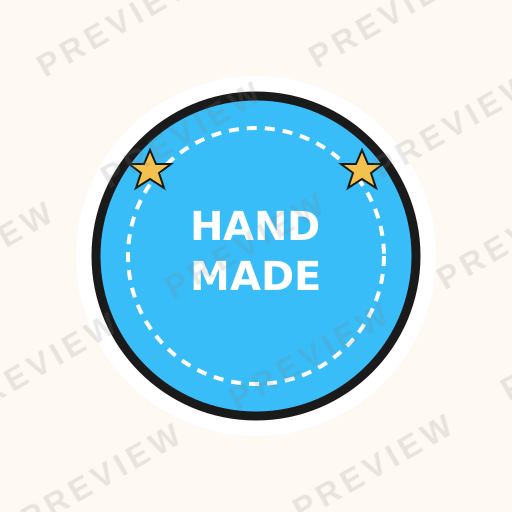
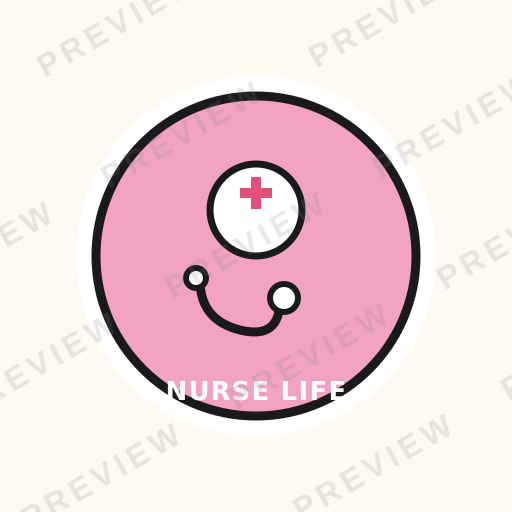
Vibrant die-cut ready illustrations with bold outlines and clean edges

How do you make Sticker SVG art?
Describe any subject and pick the Sticker style — Clearly generates a clean, editable vector in seconds, with Sticker’s signature look (bold clean outlines, vibrant flat colors, die-cut ready edges), ready for Cricut, print, or the web. No design software needed; free to generate and preview, with commercial-license exports on a plan.
About Sticker style
Sticker SVG art is designed specifically for print-and-cut production workflows. With crisp outlines, vibrant fills, and clean cut-ready edges, these vectors translate perfectly to vinyl stickers, planner decorations, and printable decals. The style emphasizes readability at small sizes and the satisfying visual pop that makes stickers irresistible.
About Sticker design
The sticker industry has grown into a multi-billion-dollar market spanning vinyl decals, planner stickers, laptop decorations, product labels, and packaging embellishments. Platforms like Redbubble, Sticker Mule, and Etsy have democratized sticker production, enabling independent designers to reach global audiences with print-on-demand fulfillment. The physical sticker market alone exceeds $60 billion annually when including industrial and commercial label applications.
Sticker design is a specialized discipline that bridges illustration and production engineering. Unlike screen-only graphics, sticker art must account for die-cut paths, bleed areas, material properties (vinyl vs. paper vs. holographic), and printing color gamuts. A design that looks beautiful on screen but has too-thin cut lines, insufficient bleed, or colors outside the CMYK gamut will fail in production. Understanding these physical constraints is as important as the illustration itself.
The planner and bullet journal community has created sustained demand for themed sticker collections — seasonal sets, functional labels, decorative elements — that customers purchase repeatedly. Successful sticker designers build libraries of hundreds of coordinated designs and release new collections monthly, operating more like product businesses than traditional illustrators.
Design principles
Bold outlines define the cut
The outer contour of a sticker determines its die-cut path. Use thick, clean outlines (minimum 2pt at print size) that create a clear, unambiguous cut shape the production equipment can follow.
Readability at actual size
Most stickers are 2-4 inches at final size. Every detail must be legible at this scale. If fine details disappear when the design is printed at 3 inches, they should not exist in the design.
Vibrant flat fills over gradients
Solid, saturated colors produce the most impactful stickers. Gradients can introduce banding artifacts in print and reduce the visual pop that makes stickers irresistible.
White border as design element
The white border around a die-cut sticker is part of the design. Account for it in the composition — it provides visual separation and makes the sticker pop on any surface.
Design tips for Sticker
Design at 300 DPI at the intended print size and include 1/8 inch bleed beyond the cut line to prevent white edges after trimming.
Keep the cut path simple — intricate silhouettes with thin peninsulas or deep concavities are difficult to die-cut cleanly and prone to peeling.
Use CMYK color mode from the start; converting from RGB at the end often shifts vibrant colors to dull, unexpected hues.
Design stickers in themed sets of 6-12 so customers can purchase coordinated collections — individual stickers rarely justify production and shipping costs.
Use cases
Print-on-demand sticker shops
Independent designers sell through Redbubble, Etsy, and personal Shopify stores, using sticker-optimized SVG art as the foundation for vinyl, matte, and holographic sticker products.
Planner and bullet journal decorations
The planner community purchases themed sticker collections monthly for decorating journals, calendars, and organizers — a recurring revenue model for sticker designers.
Product packaging and labels
Small businesses and artisan producers use custom sticker designs for product labels, packaging seals, and branded packaging inserts that add personality and brand recognition.
Laptop and water bottle decals
Vinyl sticker decals for laptops, water bottles, and phone cases represent one of the highest-volume sticker markets, driven by self-expression and brand affinity.
Event and promotional giveaways
Companies distribute branded stickers at conferences, in product shipments, and as promotional items — one of the most cost-effective physical marketing touchpoints.
Compare styles
vs. Kawaii
Sticker style focuses on production-ready specifications — die-cut paths, bleed areas, and print-optimized colors — while kawaii focuses on the cute aesthetic regardless of output format.
vs. Meme / Reaction
Sticker design optimizes for physical print production with material and die-cut considerations, while meme graphics optimize for digital sharing with screen-resolution readability.
Style characteristics
- Bold clean outlines
- Vibrant flat colors
- Die-cut ready edges
- Small-size readable
- White border/bleed area
Best for
- ✓Vinyl stickers
- ✓Planner stickers
- ✓Laptop decals
- ✓Product labels
- ✓Sticker packs
Create Sticker art with AI
Describe your vision
Tell AI what you want in sticker style.
AI generates
Get a unique sticker SVG in seconds.
Download & use
Editable SVG for any project — commercial use on a paid plan.
Browse Illustration & Character styles
Explore all styles in this category, or browse the full Style Encyclopedia.
Kawaii
Cute Japanese-inspired characters with big eyes and soft features
Simple Kawaii
Round shapes with cute dot eyes and pastel color palettes
Kawaii Food
Adorable food items with cute faces, expressions, and personality
Kawaii Animals
Chibi-proportioned animals with oversized heads and adorable expressions
Planner Doodles
Small cute icons and decorations designed for bullet journal layouts
Whimsical
Playful, fantastical designs with storybook charm
Children's Book
Soft, warm storybook illustrations with gentle colors and whimsical characters
Flat Design
Modern flat vectors with solid fills, no gradients, and clean geometry
Spot Illustration
Small focused micro-illustrations perfect for UI empty states and features
Fashion Illustration
Elongated figure proportions with couture elegance and editorial flair
Food & Drink
Appetizing culinary illustrations that make food look irresistible
Editorial
Bold conceptual compositions for magazines, blogs, and hero sections
Sticker SVGs by category
Browse sticker designs for a specific subject — each generated to order, then editable.
Sticker Animals
Animals in sticker style.
Sticker Flowers
Flowers in sticker style.
Sticker Nature
Nature in sticker style.
Sticker Holidays
Holidays in sticker style.
Sticker Food & Drinks
Food & Drinks in sticker style.
Sticker Sea Life
Sea Life in sticker style.
Sticker Basic Shapes
Basic Shapes in sticker style.
Sticker Crafts & DIY
Crafts & DIY in sticker style.
Sticker Borders & Frames
Borders & Frames in sticker style.
Frequently asked questions
01What is Sticker art?+
02What are the key characteristics of Sticker style?+
03Can I generate Sticker SVGs with AI?+
Ready-made
Ready-made Sticker vectors
Hand-curated sticker SVGs, licensable now — $<OneTimePrice /> once, commercial use, no subscription.



Create Sticker art today
Generate unique sticker SVG designs with AI. Preview free, no design skills needed — $<OneTimePrice /> once for a commercially-licensed SVG, no subscription.